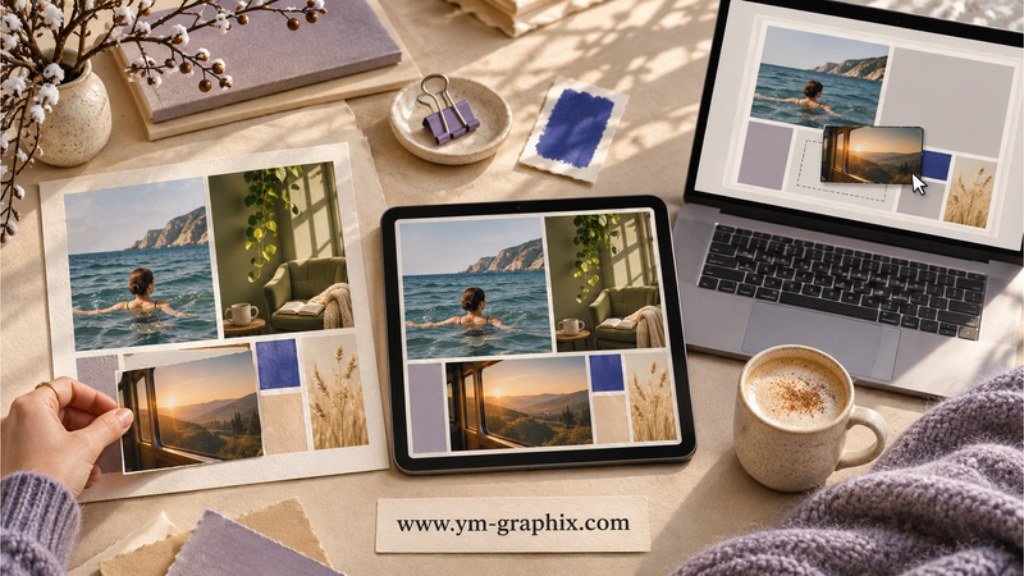
Same goals, three ways to lay them out
Choose a printable PDF if you want a paper collage, a tablet-ready template if you like to write on a screen, or an editable vision board template if you want to change the photos, text, or colors before you export.
Imagine a board with three goals: swim on Saturdays, read after dinner, and take a train trip in spring. The same pictures can work across all three formats. What changes is how you put them in place, where you see them, and how easily you can swap one out.
This article contains affiliate links. We may earn a commission if you make a purchase through them.
Which vision board template should you choose?
A vision board template gives your pictures, words, and goals a place to go. A grid gives each idea its own space, a collage lets one strong image set the mood, and a guided worksheet gives you room to write a next step beside the picture. Start with the shape of the board you need, then check the file type.
Look for a ready-to-print PDF in the paper size you have. Leave some space for handwritten captions and the pictures you plan to attach.
Look for a PDF you can import into your annotation app. If it’s part of a planner, check how easily you can return to the board.
Look for an explicit Canva template link or a layered source file such as a PSD. Check which app opens it and which elements you can edit.
On a listing, digital download describes delivery. Editable describes what the file lets you change. A digital download may be a finished PDF, a link to a Canva layout, or a layered Photoshop file. Read the file list before you pick one.
Printable vision board templates
Start here if you want a page you can pin up, keep in a binder, or hand around at a vision board night.
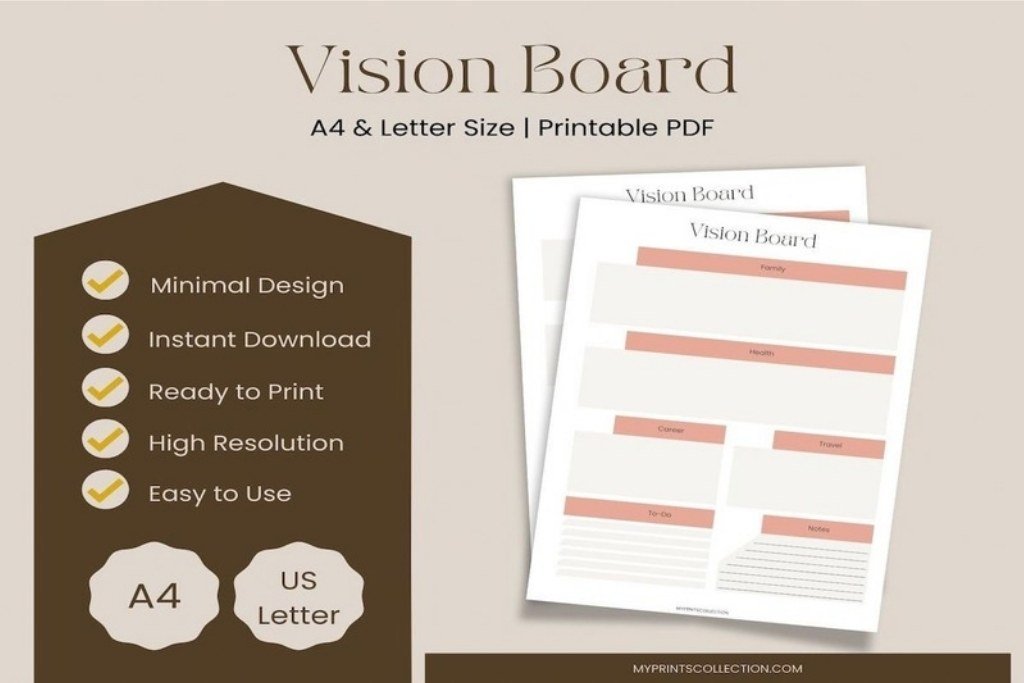
Vision Board Planner Printable
Best for · A simple board you can print at home
Files · A4 and US Letter PDFs in a ZIP download
myprintscollection’s minimalist planner is a straightforward starting point if you already have your images. Try one photo for each goal and write one line beneath it that explains why it belongs there. With PDFs in both paper sizes, you can pick the one that fits your printer or binder.
Choose it if you want a printed layout with room to build your own collage. Set the page size in your print dialog before you run the first copy.
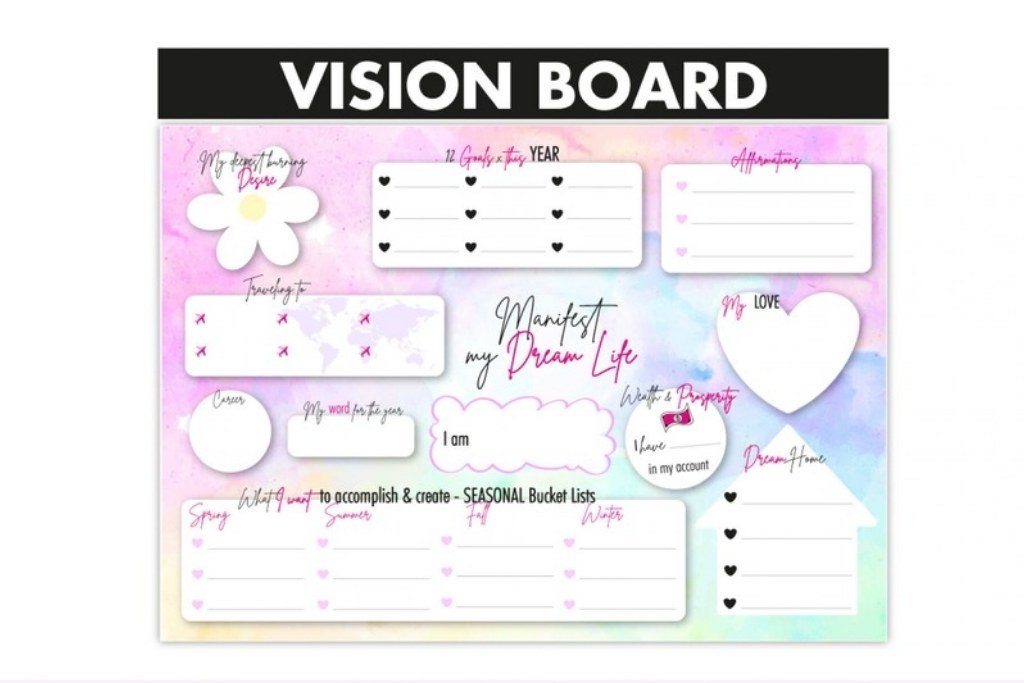
Vision Board by BixiBina
Best for · A compact board with color already built in
Files · A4 printable PDF with pink and rainbow designs
Two color directions make this a quick pick when you want to settle on a look first. Try sorting your images into three piles before you print: the place you want to spend more time, the thing you want to learn, and a moment you want to make room for. A compact sheet works best when each photo has a clear job.
Choose it if you want to print a colorful board without designing a palette. If you’re using US Letter paper, preview the scaling first because the supplied layout is A4.
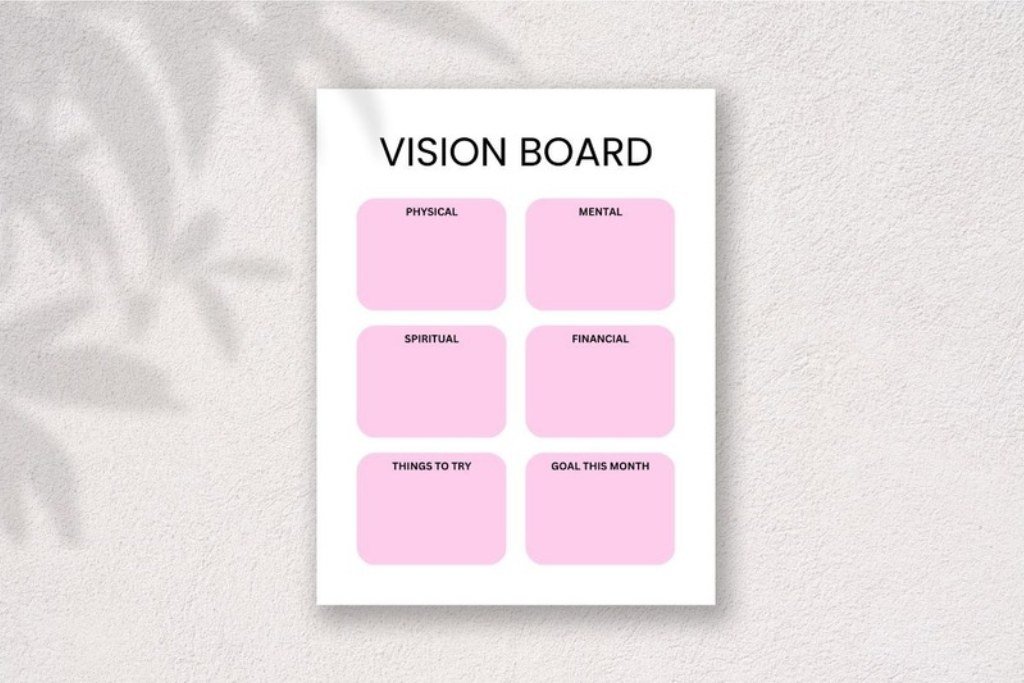
Vision Board Printable by HillTract
Best for · Starting with a US Letter sheet and keeping an editable option
Files · PDF, PNG, and editable Canva template
Print the Letter-size PDF for a paper collage, use the PNG as a flat image, or open the Canva version when you want to make changes before printing. This is a useful choice if you’re making boards with someone who prefers paper while you want to work on screen.
Choose it if you need the same design in both a ready-to-print and editable format. Open the Canva version to make layout changes.
Digital vision board templates for tablets
Decide whether you want a board you can open on its own or a board that sits inside the planner you already use for daily notes.
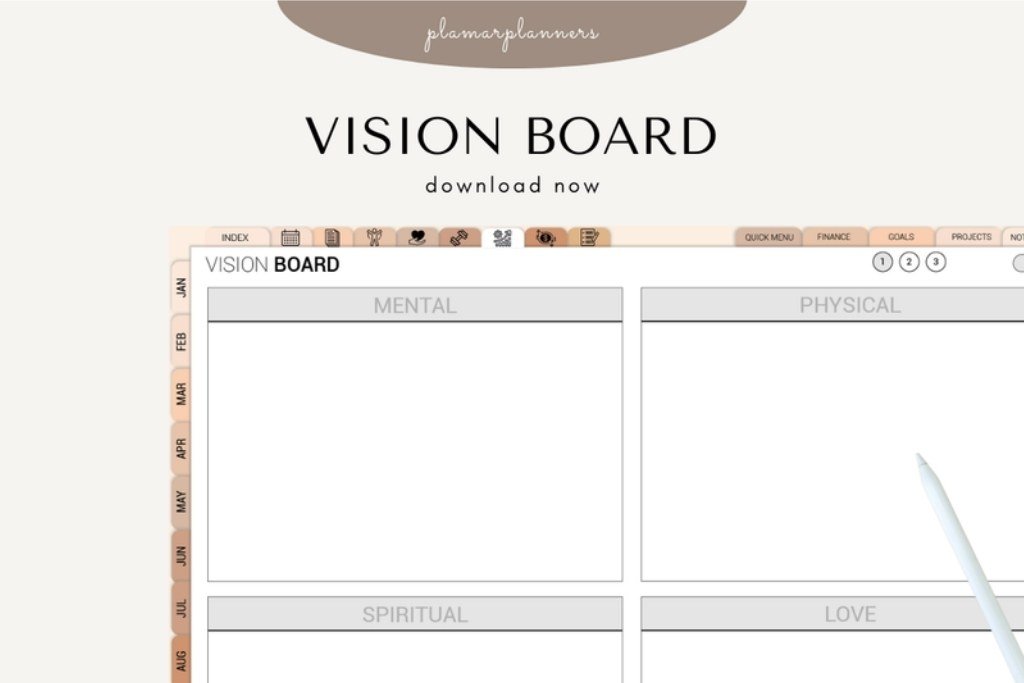
Vision Board – Printable & Digital by Plamarplanners
Best for · A guided board that works on paper and a tablet
Files · A4 and US Letter PDFs, plus a tablet-optimized version
Plamarplanners combines collage spaces with a goal-setting grid, sections for different areas of life, and prompts for intentions. The creator lists GoodNotes and Notability among the ways to use it. Start with the collage page, then use the grid to give your three most important pictures a next step.
Choose it if you want a template that helps you decide what to include. The structure is especially handy when your pictures come from several different parts of your life.
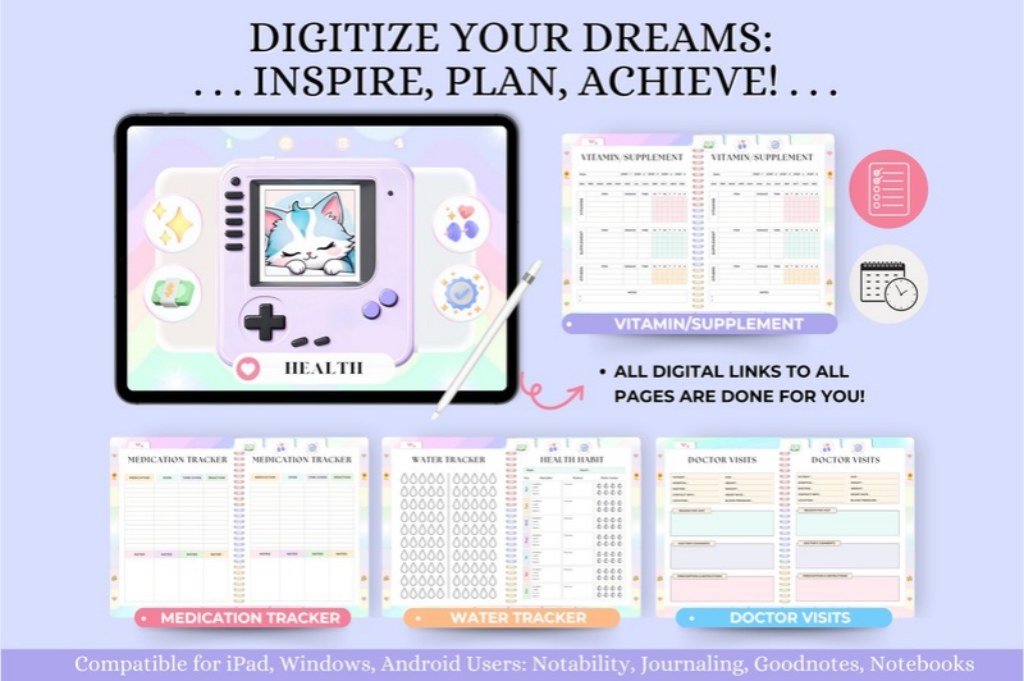
Undated Digital Planner for Goodnotes
Best for · Keeping the board next to your daily plans
Format · Undated, hyperlinked landscape planner for GoodNotes and other PDF annotation apps
Tas Creative Studio includes a vision board and goal planner alongside daily, weekly, and monthly pages. Put a photo of a running trail on the vision board, then use the weekly spread to pick a route and set aside Saturday morning for the first run.
Choose it if you want to revisit your vision board while planning your week and start at any point in the year.
Editable vision board templates for Canva and Photoshop
Pick an editable layout when the arrangement is part of the project. A sample page can help you get started, while layers and photo masks give you more control over the final collage.
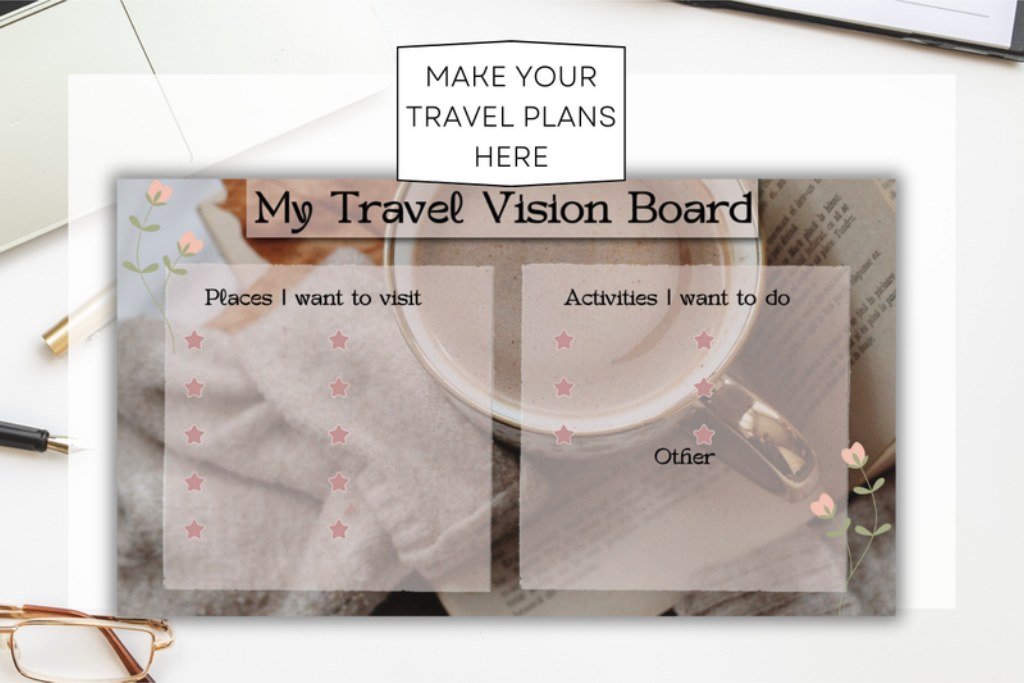
Editable Travel Vision Board Template
Best for · A themed Canva board for a specific trip
Files · PDF with a Canva link to a three-page design
Sharp Flair Graphics supplies a planning page, a layout to customize, and an example. Use the planning page to get specific about the trip, then build the collage around one anchor photo. A train window can be the main image, with smaller pictures for the route, a place to eat, and a walk you want to take.
Choose it if your board has a single theme and you’d like to see a completed example. For other themes and screen sizes, browse our Canva vision board template picks.
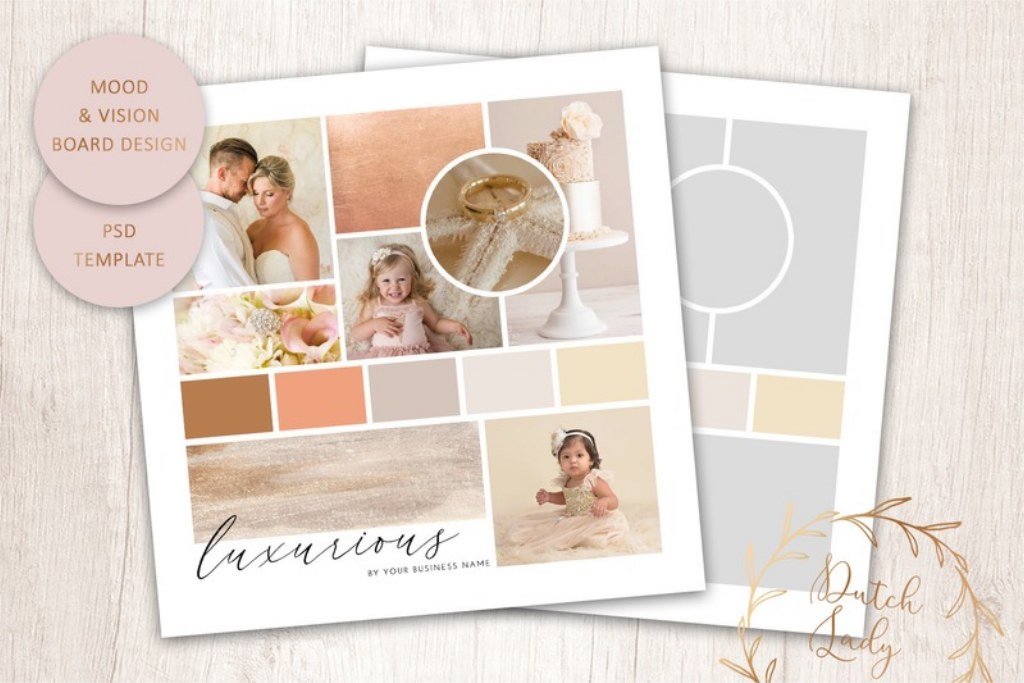
Mood & Vision Board Template
Best for · An image-led board with control over type and color
Files · Layered Photoshop PSD, 8 × 8 in at 300 dpi, with two JPEG examples
daphnepopuliers’ square layout includes eight photo masks and five customizable color boxes. Drop in your images, draw a few colors from your main photo, and adjust the type to suit the board. The square format gives the collage a clear shape for a small print or digital export.
Choose it if you already work in Photoshop and want a mood-board layout you can make your own.
Didn't find what you were looking for?
Use the search below to explore more options on Creative Fabrica.
Try the same three goals in any layout
For each goal, gather one image, one short label, and one action you can put on the calendar. Here’s what that might look like:
- Swim on Saturdays. Use a photo of a pool or the sea. Caption it “Saturday swim” and choose the first date.
- Read after dinner. Use a photo of the chair where you like to read. Caption it “Ten pages” and set the book out before dinner.
- Take a train trip. Use a landscape you want to see from the window. Caption it with the destination and pick an evening to check the route.
On paper, write the actions on small cards you can move. On a tablet, leave a blank strip for handwritten updates. In an editable layout, keep a clean master so you can swap the pictures and captions as your plans change. Our guides to what to put on a vision board and how to assemble one step by step can help when you’re ready to fill it.
Before you download
- Check the finished size. For a binder or home printer, use a file sized for your paper when possible. For a digital display, check the shape and orientation first.
- Read the file list. A PDF can contain the board itself, editing instructions, or a link to an online template. Look for an explicit description of what opens after download.
- Look closely at the preview. Count the photo spaces and check whether the labels fit your goals. If you want extra images or words to fill the layout, browse our vision board printables.
Vision board template FAQ
What is the simplest vision board template for beginners?
A one-page PDF grid is an easy starting point. Use three to six spaces, give each one a goal, and add one image or short phrase per space. Choose a guided worksheet if you want categories already on the page.
Can I print a digital vision board template?
Yes, if you can export it as a printable image or PDF. For a board designed for a screen, check whether the original layout fits the intended paper size. Print a test copy and check the edges before trimming or framing it.
Can I edit a vision board PDF?
Some PDFs have fillable fields and others can be annotated in a compatible app. If you want to freely move photo frames, change type, or adjust the layout, look for an editable source such as a Canva template or layered PSD.
What is the difference between a vision board template and a kit?
A template gives you the layout. A kit typically supplies items to fill it, such as words, image cutouts, prompts, or printable stickers, and may also include a layout. If you already have photos picked out, a template is usually enough to start.
How do I add my own photos?
On paper, trim the photos and test the arrangement before attaching them. In an editable template, replace the sample pictures in the frames or masks, then adjust the crop to keep the part of the picture you want to see.
Which one would we pick?
Choose Plamarplanners if you’re deciding between a paper board and a tablet and want to try both. Pick myprintscollection when you just want a simple sheet to print today. If the collage itself is the creative project, start with the layered Photoshop board or the Canva travel layout, depending on your subject and the app you use.