Your next semester, in focus
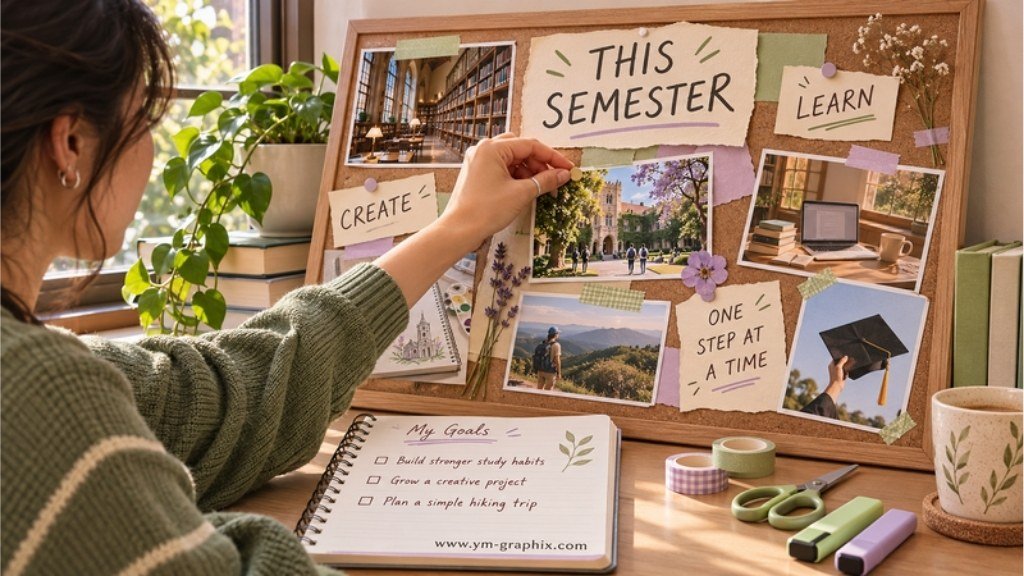
A student vision board is a visual collection of the goals, habits and experiences you want to work toward at school or college. Start with three priorities, choose pictures that mean something to you, and give each goal one small action you can take this week.
A library photo can stand for a study routine. A sketchbook can represent the portfolio you want to build. A picture of friends can remind you that belonging deserves space beside grades.
The most useful vision board ideas for students make room for learning, everyday life and the person you are becoming. Below you’ll find 12 ideas, three example boards and seven selected digital resources to help you put it together. You can also start with paper, your own photos and a pen.
Disclosure: This article contains affiliate links. If you purchase through them, we may earn a commission at no extra cost to you. The resources below are digital downloads; check the current listing for access options, file details and software requirements.
12 Vision Board Ideas for Students That Feel Personal
Choose the ideas that fit your stage of life. You do not need all twelve on one board: three to five clear priorities are easier to revisit during a busy week. For each choice, connect a picture, a short caption and an action you control.
01. A school goal you can explain
Use a notebook, marked practice page or subject symbol to represent an academic priority. Make the caption specific: “understand algebra foundations” says more than “be the best.”
Make it actionable: Choose one topic to review this week and write down the question you want answered.
02. A study routine you can actually keep
A library desk or a quiet corner can represent the conditions that help you concentrate. Build the board around your real timetable, including commuting, work or family responsibilities.
Make it actionable: Try two manageable study blocks and review whether their length and timing suit you.
03. A calmer approach to exams
Choose an image of organized notes, a calendar or a practice workbook. Let it represent preparation rather than an unrealistic promise that every exam will feel easy.
Make it actionable: List the next exam topic and one practice task. Keep the full revision schedule elsewhere.
04. Your next learning environment
For a high school student, this might be a college campus, apprenticeship workshop or training space. For a college student, it could be a lab, studio or exchange destination.
Make it actionable: Find one requirement or open-day date from the institution’s own website and note your next research step.
05. A skill you want to build
A camera, sketchbook, language notebook or keyboard can show the skill behind the goal. Choose something you want to practice, even if you are still a beginner.
Make it actionable: Define one small practice project: a photo series, a short presentation or a single portfolio piece.
06. The first chapter of your career
Use an image of the work itself: a design studio, a classroom, a workshop or a research setting. Keep the focus on exploration instead of expecting yourself to have your whole future settled.
Make it actionable: Write down one question for a careers adviser or find one relevant student opportunity.
07. A student money goal with a purpose
A book, bicycle or train ticket can represent something you want to save toward. The picture should show why the goal matters to your life, not simply display stacks of cash.
Make it actionable: Name one realistic target and record your starting point. For more visual prompts, explore our money vision board ideas.
08. A place where you feel you belong
Include a club, team, volunteering activity or a photo that represents a supportive friendship. A school vision board can show how you want daily life to feel as well as what you want to achieve.
Make it actionable: Look up one meeting or activity and decide whether you want to try it.
09. Rest and room to breathe
A peaceful walk, a favorite reading spot or a relaxed evening can remind you to leave space around your workload. Choose an ordinary scene that feels possible in your actual week.
Make it actionable: Protect one small block of time for something enjoyable that is not another assignment.
10. A creative project outside class
Use a zine cover, a small craft project, a music image or your own artwork. This is especially useful if your board otherwise looks like a list of obligations.
Make it actionable: Choose a first draft you can finish, rather than only displaying the polished result you hope to make.
11. An experience you want to try
A museum visit, campus event, nearby hike or day trip can make a college vision board feel like a life in progress. You do not need an expensive destination for this section.
Make it actionable: Choose an experience and work out one practical detail, such as time, transport or a friend to invite.
12. A reminder of progress you have already made
Add a small piece of evidence from your own life: feedback you are proud of, a project photo or the title of a book you finished. This gives the board a connection to what you have already done.
Make it actionable: Leave a little space for the next small win, and update it when something changes.
The picture → meaning → action rule
Picture: a campus library.
Meaning: “I want a steadier study routine.”
Action: “Visit the library on Tuesday and plan my first study block.”
Your board can remind you what matters. Progress still comes from the choices, practice and support around those goals.
3 Vision Board Examples for Students
These example layouts are starting points, not rules. Borrow the structure and replace the goals with your own. A clear heading and a handful of images usually say more than dozens of tiny pictures.
The high school “next step” board
Center phrase: Learn, explore, keep going.
Priorities: One subject you want to understand better; one club or creative interest; one possible path after school.
Pictures: A notebook, a photo of your own project and an image of a learning environment you want to explore.
This week: Ask for help with one topic, attend one activity and research one course or training option.
The college “balanced semester” board
Center phrase: A semester I can sustain.
Priorities: Coursework, a manageable weekly routine, friendships and one personal experience.
Pictures: Your campus, a simple weekly planner, friends sharing a meal and a nearby place you would like to visit.
This week: Identify the week’s priority assignment, reserve a study block and make one social plan.
The “creative future” student board
Center phrase: Make work I am proud to share.
Priorities: A developing skill, a small portfolio, feedback and career exploration.
Pictures: Your own draft work, a studio or workspace and a visual reference connected to the field.
This week: Finish one small piece, ask for feedback and record the next revision. For a broader career-focused board, see our career vision board ideas.
How to Make a Student Vision Board Without Overthinking It
- Choose a useful time frame. Try one semester or term rather than your entire future. You can keep a separate long-term inspiration page.
- Write three priorities before collecting pictures. Finish the sentence “By the end of this term, I want to…” and choose goals that matter to you.
- Gather a small set of meaningful images. Use your own photos, personal sketches or appropriately licensed graphics. Select pictures for what they represent, then choose colors that work together.
- Choose paper or a digital page. Paper suits a desk or notebook cover. A digital collage suits a laptop or tablet. A simple canvas is enough; our Canva vision board templates guide offers more layout options.
- Arrange goals into a few clear zones. Try Learn, Life and Next Step, or Today, This Term and Later. Leave room around your main priorities so the board remains readable.
- Add captions and a tiny action strip. Write one action below each major goal. Keep deadlines and detailed tasks in a planner rather than squeezing your full schedule onto the collage.
- Choose a review moment. Revisit the board when planning your week or at the start of a new month. Remove goals that no longer fit, and add evidence of progress when you have it.
If this is your first collage, our full step-by-step vision board guide explains the wider process. Here, keep the focus on student life and the next term you can influence.
A simple layout you can copy by hand
Top: your semester theme.
Left: one academic priority.
Center: a picture of the daily life you want to build.
Right: one personal or future goal.
Bottom: three small actions for this week.
Write short captions on ordinary paper if you prefer. Buying a template is optional.
7 Templates, Printables & Creative Extras for a Student Vision Board
Pick a resource for the part you need help with: choosing goals, making a collage or following through. You do not need all seven. A workbook and a planner serve different jobs; start with the one that solves your current problem.
Quick Picks: Choose Your Starting Point
1. Vision Board Workbook for Students
By KDP Mount
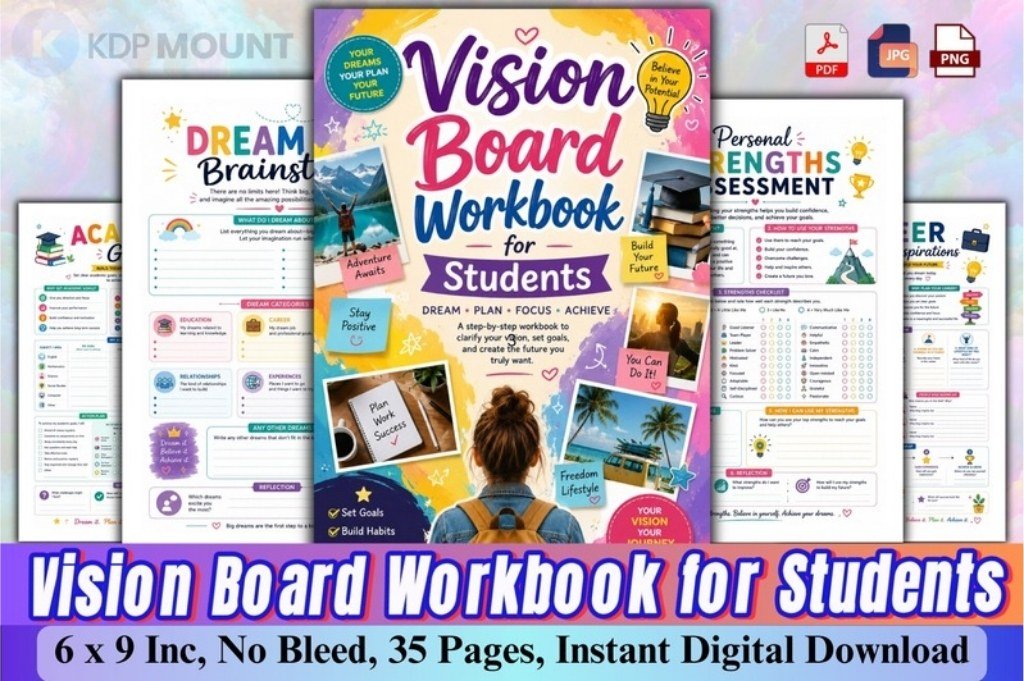
Choose this when you have plenty of hopes but no clear priorities. Its worksheets include a vision statement, academic goals, a layout sketch and a weekly action plan. The listed files include PDF, PNG and JPG in a 6 × 9-inch format.
Use it on your board: Use the reflection pages first; bring three chosen goals onto your board rather than displaying every worksheet.
2. Student Study Planner
By Templates by amleyy
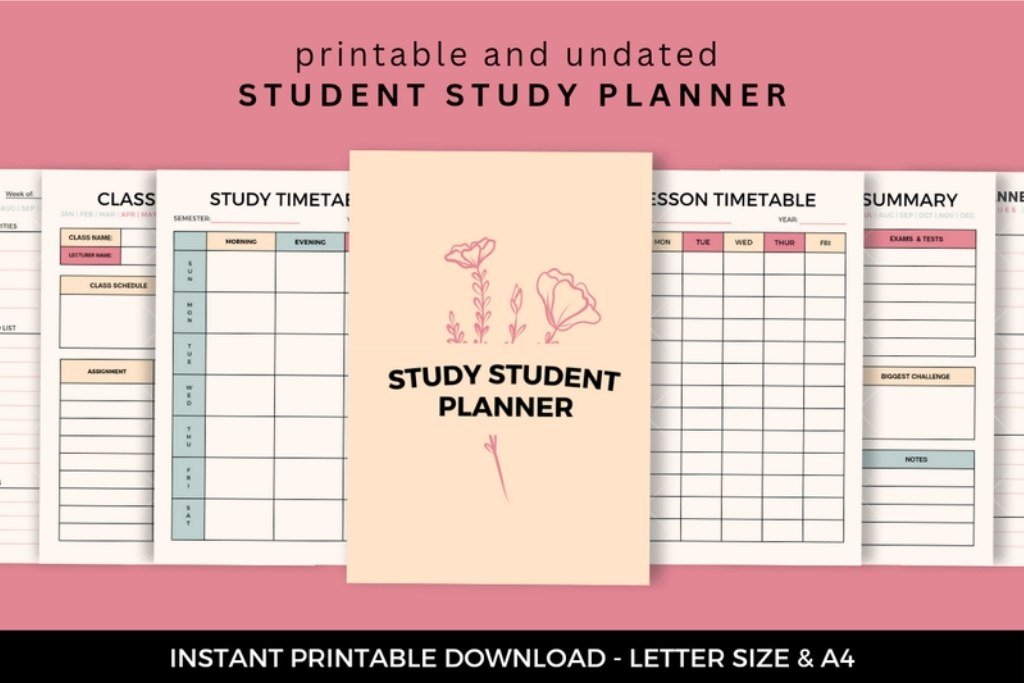
This Canva-editable option includes a semester summary, class overview, assignment tracker, study timetable and weekly and daily pages. It suits the student who wants the board’s big-picture message to lead into a practical schedule.
Use it on your board: Place your chosen weekly study commitment on the board, then keep assignments in the planner. Choose the study pages you will actually use rather than filling every section.
3. Neutral Themed Student Planner
By fivedesigns
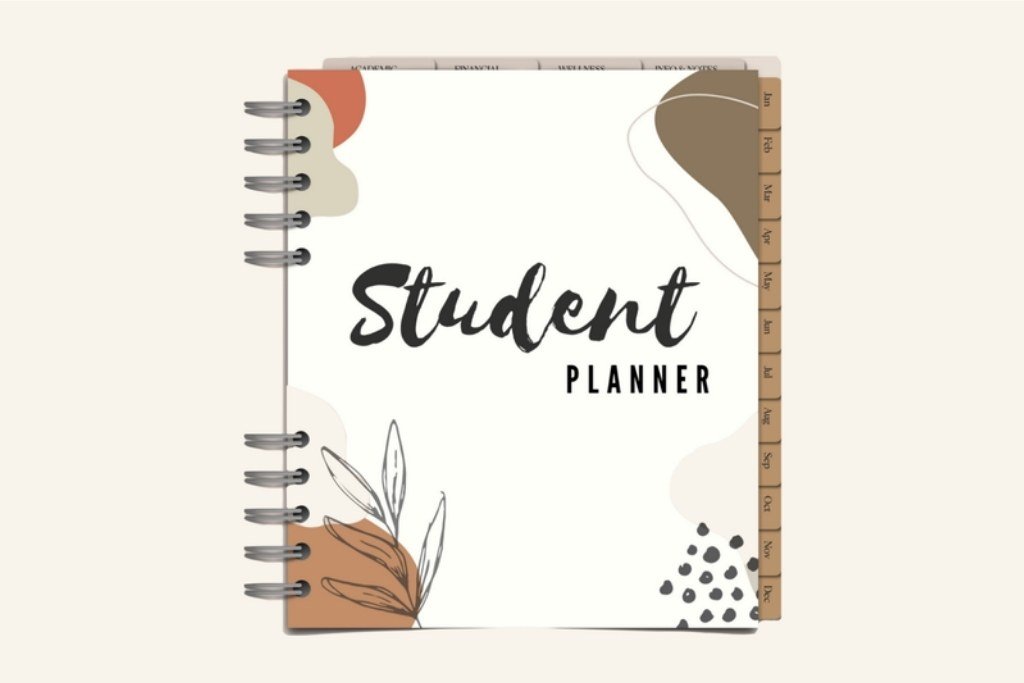
A hyperlinked PDF planner with a vision-board page, semester schedule, study-session manager, exam-prep checklist and sections for finances and everyday life. It is designed for a compatible PDF annotation app; the app is separate from the download.
Use it on your board: Keep the vision-board page as your semester overview and link your own routine to the planner’s study pages. This is a PDF planner, so choose the Canva option above if editable layouts matter more.
4. Vision Board Kit Printable
By Digital Emporium
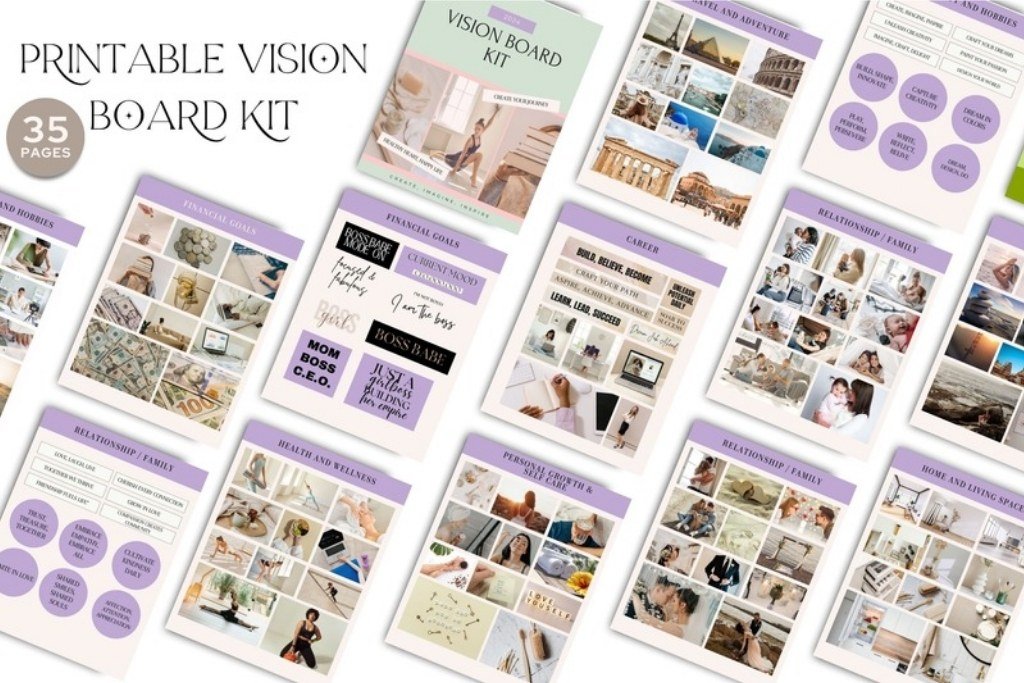
This 35-page PDF kit offers printable vision-board material for a cut-and-arrange project. It is a general-purpose kit rather than a student curriculum, which makes it useful as a visual starting point alongside your own school and campus photos.
Use it on your board: Print only the pages that fit your semester. Add handwritten academic goals so the finished collage feels personal rather than like someone else’s dream life.
5. Home Study Watercolor Clipart
By Wonders Artist
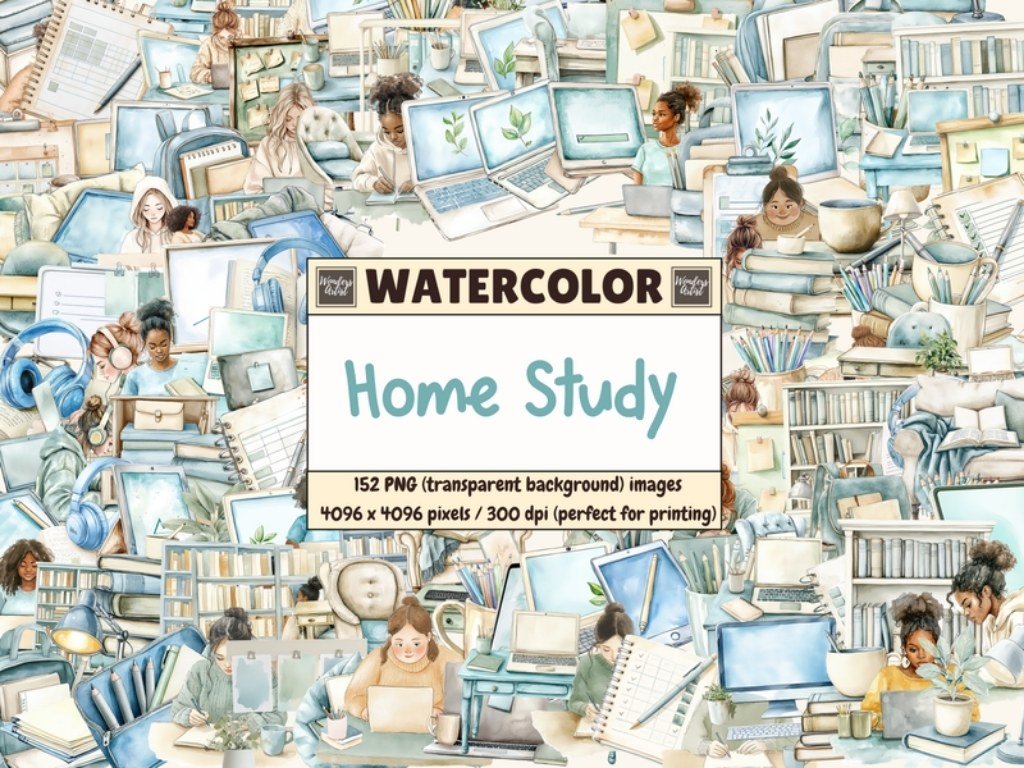
Soft watercolor illustrations of study desks, laptops, notebooks, books, stationery and room details give a board a quiet study-corner mood. Choose this for decorative images that connect to learning, especially when generic travel and luxury photos feel unrelated.
Use it on your board: Pair one study illustration with a specific caption such as “two focused library sessions each week.” These are decorative graphics, not a finished planner or complete vision-board template.
6. I AM Affirmation Cards Printable
By Little Miss Darran
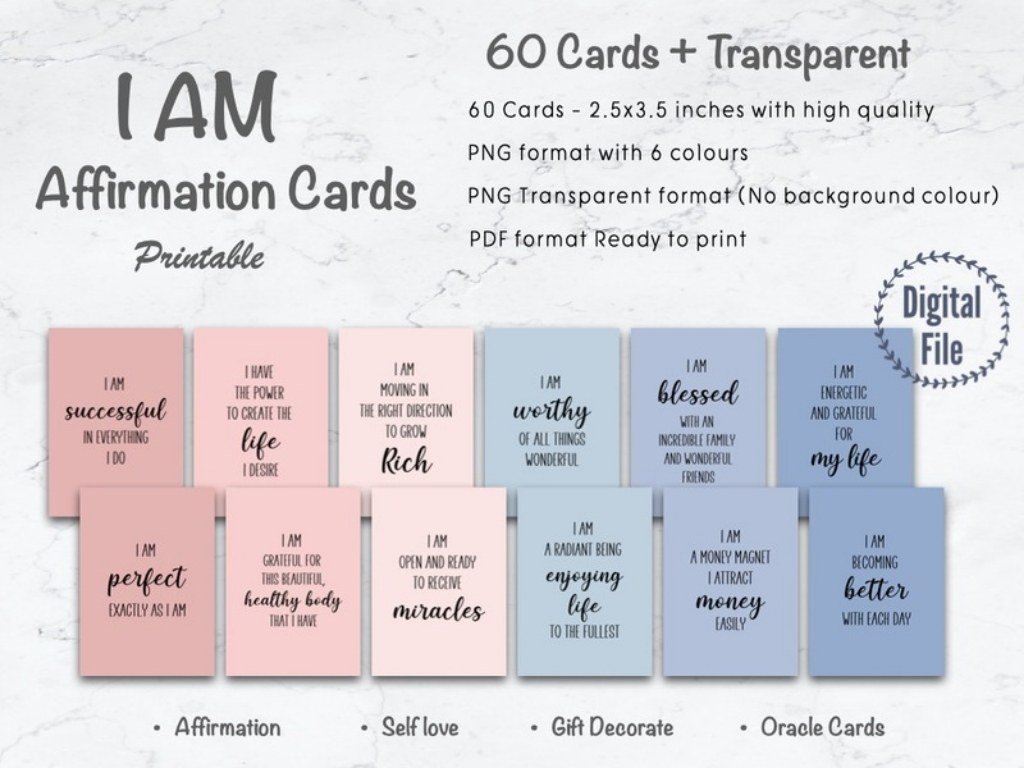
The listing includes 60 individual PNG cards, an A4 PDF for printing and transparent PNG versions. Their small card format makes them useful for a compact desk board or a single encouraging accent beside a study goal.
Use it on your board: Select one or two statements that feel believable to you. Leave room for your own action-focused line, such as “I can ask a question when I am stuck.”
7. Money Savings Tracker Printable
By Jennifer Magri Designs
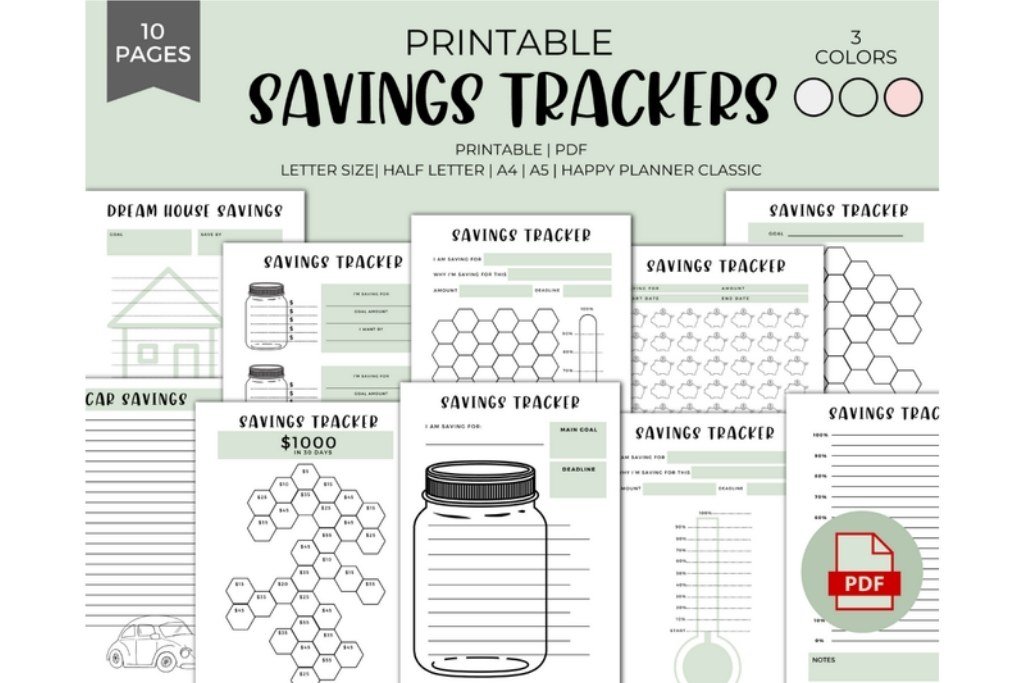
Printable PDF savings trackers come in several layouts and five sizes, including A4 and US Letter. The designer states that text and colors are fixed. This is a useful companion for a book fund, course materials or a small student trip.
Use it on your board: Keep the detailed tracker in your planner and add a small progress snapshot to the board. Choose a target that fits your situation rather than copying a large savings challenge.
Didn't find what you were looking for?
Use the search below to explore more options on Creative Fabrica.
Words & Quotes to Make Your Board Sound Like You
Short, personal wording can give a collage a clear voice. Choose language you can return to on an ordinary day. Here are original caption ideas you can write by hand:
- One useful step today.
- Practice before perfection.
- My next chapter starts with this week.
- Ask questions. Keep learning.
- Make room for work and joy.
- Build a routine that fits my life.
- Small drafts become finished projects.
- I can change my plan as I learn.
You can also use single words such as Curious, Steady, Create, Connect, Explore or Begin. Keep a few strong captions visible rather than covering every open space with text.
Small Changes That Keep the Board Useful
Reduce the number of goals. If everything is a priority, choose three for the current term and move the rest to a notebook page.
Use real-life pictures. Your own desk, project or local campus may feel more meaningful than a polished image of someone else’s life.
Leave comparison out of the layout. You can explore possible futures without setting another person’s grades, possessions or lifestyle as your standard.
Keep practical details nearby. A board can hold the goal; your planner can hold the task list. If you want more categories to choose from, browse what to put on a vision board.
Student Vision Board FAQs
What should a student put on a vision board?
Include a few goals for learning, daily habits, personal life and possible next steps. Choose pictures, a short caption and a small action for each main goal. Your board does not have to include every part of your life.
How do I make a vision board for a school assignment?
Read your teacher’s instructions first, including any required categories, reflection or presentation. Choose goals you are comfortable sharing, explain what your images represent and include actions connected to those goals. Keep private details off a board you must present.
What is a good vision board for college students?
A college board might combine an academic priority, a weekly routine, a personal interest and one next-step opportunity. Use a semester as the time frame so the goals stay close enough to act on.
Can I make a student vision board in Canva?
Yes. Start with a blank design or a suitable template, add your own pictures and text, and keep the layout readable on the screen or paper size you intend to use. Check whether a downloaded template has any separate Canva or asset requirements.
Do I need to buy a vision board kit?
No. Paper, a pen, personal photos and drawings are enough to begin. A kit can save time if you want prepared visual material; a workbook can help with reflection; a planner can help organize the actions that follow.
How often should students update a vision board?
Choose a review rhythm that fits your routine, such as a quick weekly look and a fuller review each month or term. Update a goal when your priorities change rather than waiting for the board to look finished or perfect.
Editor’s Pick: Start with direction, then add a routine
If you are unsure what belongs on your board, start with the student vision-board workbook. If your goals are clear but your week feels scattered, choose the Canva study planner or the digital student planner instead.
Then keep the first version simple: three priorities, a handful of pictures and one small action for each goal. Let the board grow with you.