If your Instagram Stories feel “fine” but not memorable, you’re not alone. Most creators post quickly, reuse the same layout, and wonder why views don’t turn into replies, link taps, or saves.
My fix is simple: I keep a small set of consistent, editable Canva Story layouts and rotate them by purpose (hook, value, proof, CTA). That one shift makes Stories look polished and gives people a reason to interact.
In this post, I’m sharing 11 template picks I’d use to build a clean, on-brand Story system—without designing from scratch every day.
Affiliate Disclosure: This post contains affiliate links. If you purchase through these links, I may earn a small commission at no extra cost to you. I only share templates that fit the use-cases I’d personally design for.
Jump to:
Quick Comparison Table (Top 5 Picks)
These are my “start here” options if you want quick wins: a versatile base template + a few distinct vibes you can rotate weekly.
| Template | Vibe | Best for | Why it boosts engagement | Link |
|---|---|---|---|---|
| Instagram Story Canva Template | Clean, flexible | Daily Story system | Fast to customize; keeps branding consistent across hooks, tips, and CTAs | Open |
| Aesthetic Beige Instagram Templates | Minimal, warm | Personal brands | Neutral palette makes text pop; perfect for Q&A, quotes, and soft selling | Open |
| 140 Dark Instagram Template Kit Bundle | Bold, high-contrast | Business & promos | High contrast improves readability; great for countdowns, launches, and urgency | Open |
| Instagram Stories for Canva | Rustic | Organic, cozy | Lifestyle & handmade | Texture + warmth builds trust; encourages longer watch time on educational slides | Open |
| Mental Health IG Canva Story Templates | Soft, supportive | Coaches & wellness | Clear prompts make it easy for followers to reply; strong fit for community building | Open |
My Method: How I Choose a Canva Instagram Story Template
I don’t pick templates based on “pretty.” I pick them based on how quickly they help me publish consistent Stories that guide someone from attention → value → action.
My engagement-first checklist
- Text readability on mobile: enough contrast, space, and hierarchy for quick scanning.
- Layout variety: I want different frames for hooks, tips, polls, testimonials, and CTAs.
- Brand flexibility: easy to swap fonts/colors once and reuse without breaking the design.
- Safe zones: room around edges so key text doesn’t fight UI elements.
- Story flow: templates that support 3–5 slide sequences (not just one pretty slide).
- Speed: if I can’t customize a slide in under 3 minutes, I won’t keep using it.
Why templates boost engagement (when used correctly)
Templates work because they reduce decision fatigue and make your visuals predictable in a good way. When followers recognize your format, they focus on the message and are more likely to tap, reply, and click.
If you’re searching for canva instagram story template ideas, here’s my simple structure that fits almost any niche:
- Slide 1 (Hook): one bold promise or question.
- Slide 2 (Value): a quick tip, checklist, or myth-buster.
- Slide 3 (Proof/Context): a short story, example, or behind-the-scenes detail.
- Slide 4 (Action): “Reply with ____,” “Tap the link sticker,” or “Save this.”
The 11 Best Canva Instagram Story Templates (My Picks)
Below you’ll find one dedicated block per template set. Each block includes: quick vibe chips, my expert take, two real use-cases, a save/share prompt, and a download button.
1) Aesthetic Beige Instagram Templates
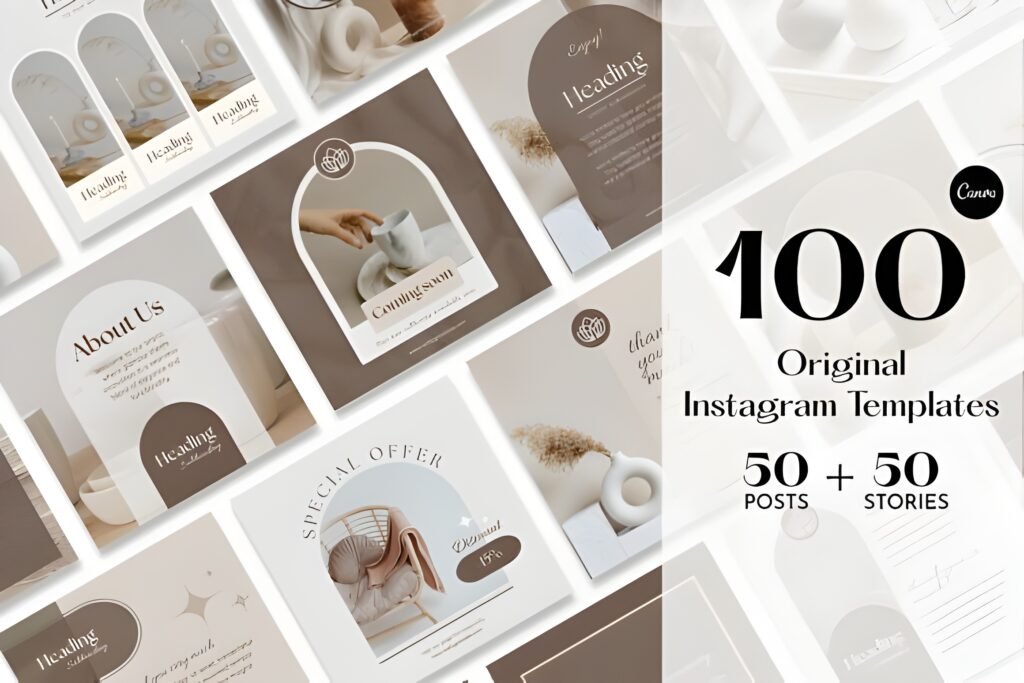
- Vibe: warm minimal, clean beige tones
- Level: beginner-friendly (swap photos + edit text fast)
- Best for: bloggers, lifestyle creators, personal brands, coaches
- Quick note: neutral backgrounds make your message feel calm and premium
My expert opinion: Beige aesthetics are one of the easiest ways to look “put together” without screaming for attention. I like this style when the goal is trust: educational content, personal stories, and soft CTAs (lead magnet, newsletter, waitlist).
Why it works: Beige templates tend to keep the viewer’s attention on the text, not on visual clutter. That’s perfect when you want replies, saves, or longer watch time across a 3–5 slide sequence.
Quick takeaway: Use beige layouts for value-first Stories, then add one bold CTA slide at the end for clicks.
Example A: “Weekly Tips” mini-series: Slide 1 hook (“3 mistakes I stopped making”), Slide 2–3 tips, Slide 4 “Save this” + question sticker.
Example B: Soft launch flow: Slide 1 behind-the-scenes photo, Slide 2 what’s coming, Slide 3 who it’s for, Slide 4 link sticker to your download page.
Save this template set if you want a calm, consistent aesthetic that makes your Story text easier to read. Share it with a friend who keeps redesigning their Stories every week.
Opens on Creative Fabrica • Editable in Canva
2) Instagram Story Canva Template
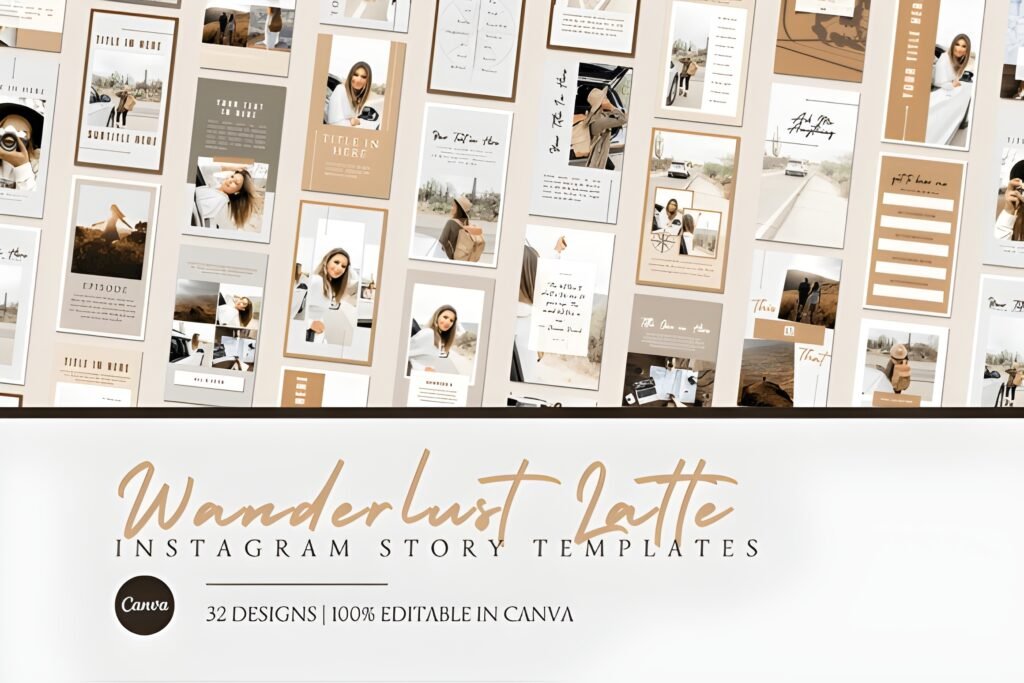
- Vibe: clean, versatile, “use it daily” layouts
- Level: beginner to intermediate
- Best for: online entrepreneurs, small businesses, content creators
- Quick note: ideal as your “base system” template pack
My expert opinion: If you buy only one set, I’d start with a flexible pack like this. A solid base canva instagram story template system lets you create recurring formats (tip-of-the-day, Q&A, promo slides, mini tutorials) without changing your brand identity every time you post.
Why it works: Versatile templates reduce friction. And less friction means you post more consistently—which is the real driver of Story engagement over time.
Quick takeaway: Build 3 repeating Story “shows” (tips, behind-the-scenes, offers) and reuse the same layouts weekly.
Example A: “Answer Box” format: Slide 1 ask a question, Slide 2 reply to one answer with a short tip, Slide 3 CTA (“Want more? Link sticker”).
Example B: Mini case-study: Slide 1 before, Slide 2 what you changed, Slide 3 outcome/lesson, Slide 4 invite to download your resource.
Save this if you want a repeatable Story format you can hand off to a VA without losing your voice. Share it with a friend building a personal brand who needs consistency fast.
Opens on Creative Fabrica • Editable in Canva
3) 200 Rose Gold Instagram Boost Template
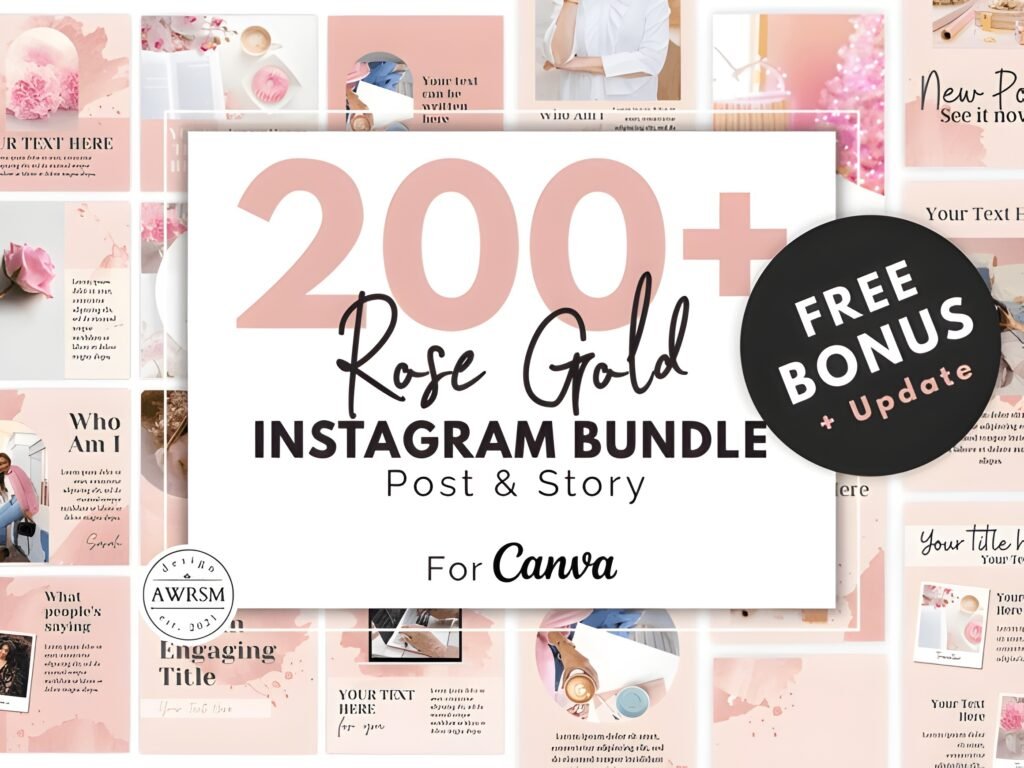
- Vibe: rose gold glam, modern feminine energy
- Level: beginner-friendly (great for batch creation)
- Best for: beauty, fashion, events, creators who want polished promo slides
- Quick note: larger bundle = more variety for campaigns
My expert opinion: A bigger bundle can be a smart move when you want to run themed campaigns without repeating the same 2–3 frames. Rose gold works especially well for offers, announcements, and “new drop” content because it feels celebratory and premium.
Why it works: The “boost” effect comes from visual cues that signal importance—shine, contrast, and a sense of occasion. That makes followers pause and pay attention.
Quick takeaway: Use rose gold templates when you want to elevate a CTA: booking, launches, collabs, or limited-time downloads.
Example A: Launch countdown: Slide 1 “Something new is coming,” Slide 2 what it is, Slide 3 who it’s for, Slide 4 countdown sticker + link sticker.
Example B: Collaboration spotlight: Slide 1 feature partner, Slide 2 why you teamed up, Slide 3 what’s included, Slide 4 “DM me ‘INFO’” prompt.
Save this bundle idea if you like a glamorous, high-energy look for promotions. Share it with a friend who sells services and needs Story slides that feel “premium.”
Opens on Creative Fabrica • Editable in Canva
4) 140 Dark Instagram Template Kit Bundle
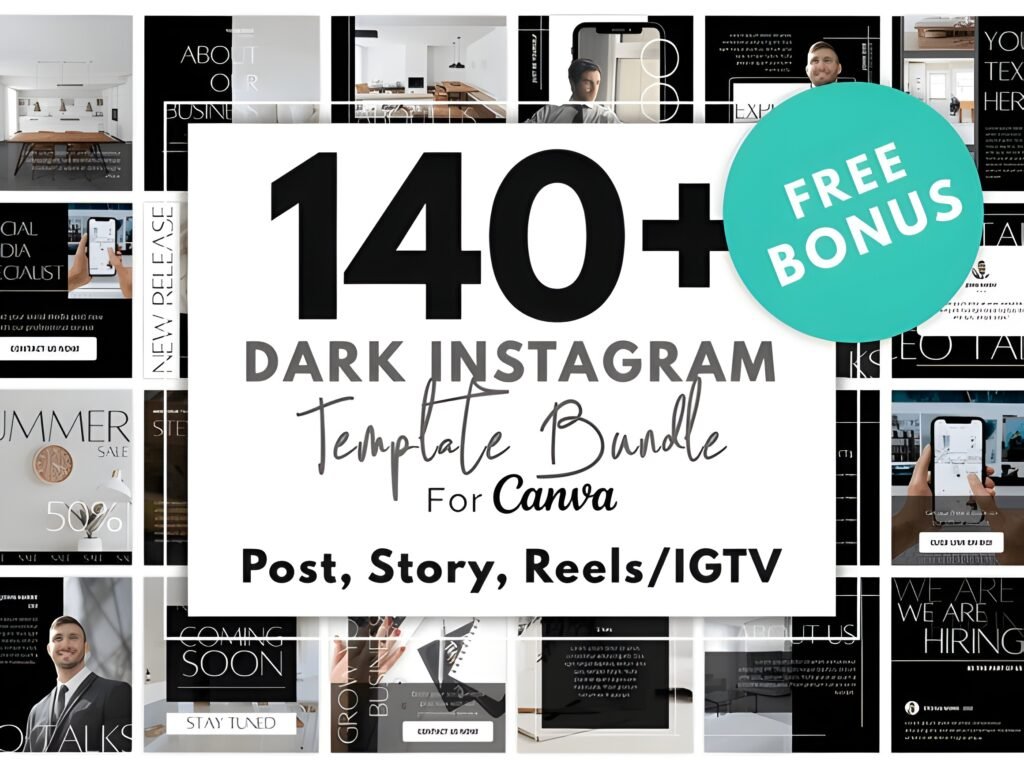
- Vibe: dark mode, bold, dramatic
- Level: intermediate (best results when you keep typography consistent)
- Best for: online entrepreneurs, product drops, portfolios, edgy personal brands
- Quick note: dark backgrounds can make CTAs feel stronger
My expert opinion: Dark templates are underrated for conversions. They’re attention-grabbing without being “loud,” and they make bright elements (buttons, stickers, headlines) stand out instantly. If your content is educational or business-focused, this style can look very premium.
Why it works: High contrast improves scanning. Followers decide in seconds whether to tap forward or stay. Dark templates help you “win” those seconds.
Quick takeaway: Use dark slides for hooks, bold claims, and CTA moments—then balance with one lighter slide for variety.
Example A: Offer stack: Slide 1 headline (“New client spots”), Slide 2 what’s included, Slide 3 bonus, Slide 4 link sticker + “Reply with ‘READY’.”
Example B: Myth-buster series: Slide 1 myth, Slide 2 truth, Slide 3 quick tip, Slide 4 “Save this” + poll sticker.
Save this if you want Stories that look “serious” and conversion-focused. Share it with a friend whose text gets lost on busy backgrounds.
Opens on Creative Fabrica • Editable in Canva
5) Instagram Post Templates Canva (Bonus: Pair Stories + Feed)
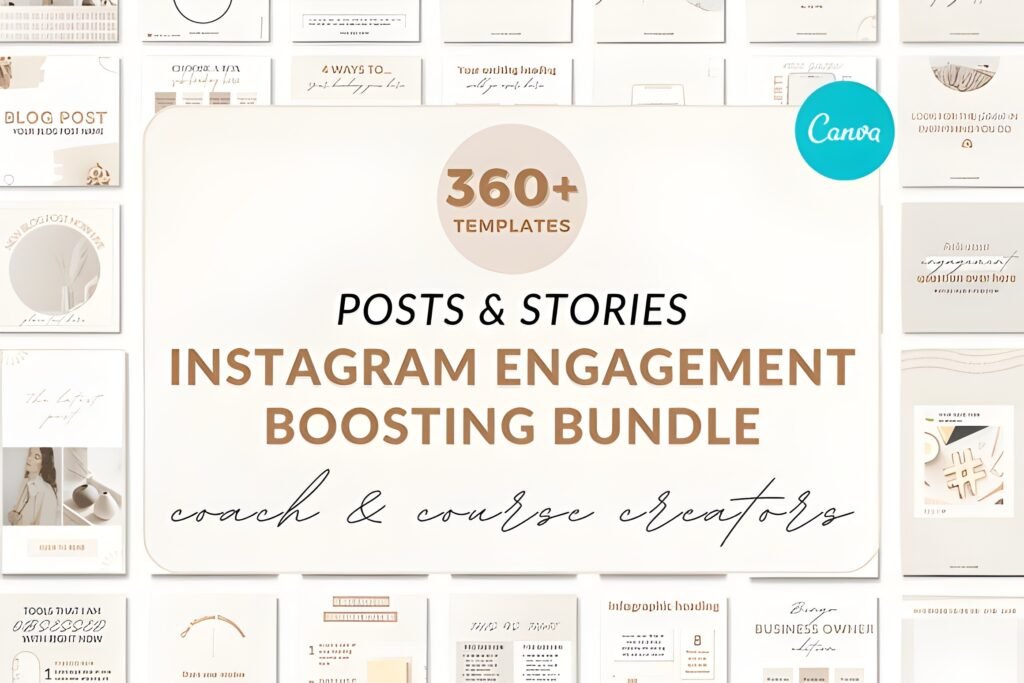
- Vibe: cohesive feed design companion
- Level: beginner-friendly
- Best for: bloggers, entrepreneurs, small businesses building a consistent brand
- Quick note: not a Story pack, but powerful for Story-to-feed campaigns
My expert opinion: This is my “bonus” pick because engagement doesn’t live only in Stories. The best loop is: Story hook → feed post value → Story reminder → link sticker. Having matching post templates makes the whole experience feel intentional.
Why it works: When your Story and feed look connected, people trust the click. Consistency reduces the mental friction of “Who is this and why should I care?”
Quick takeaway: Use these to support your Story templates: tease in Stories, deliver in the feed, then re-promote in Stories.
Example A: Tease-to-carousel: Story Slide 1 question, Slide 2 “I posted the full breakdown,” then point to your new carousel using the post template.
Example B: Launch week: 3 Story slides daily + 1 feed post every two days. Use the same colors and headline style so it feels like one campaign.
Save this idea if you want a simple system: Stories pull attention, feed builds trust, Stories close the action. Share it with someone who struggles with “random” content.
Opens on Creative Fabrica • Useful to pair with Story campaigns
6) 200 Blush Pink Instagram Template Kit
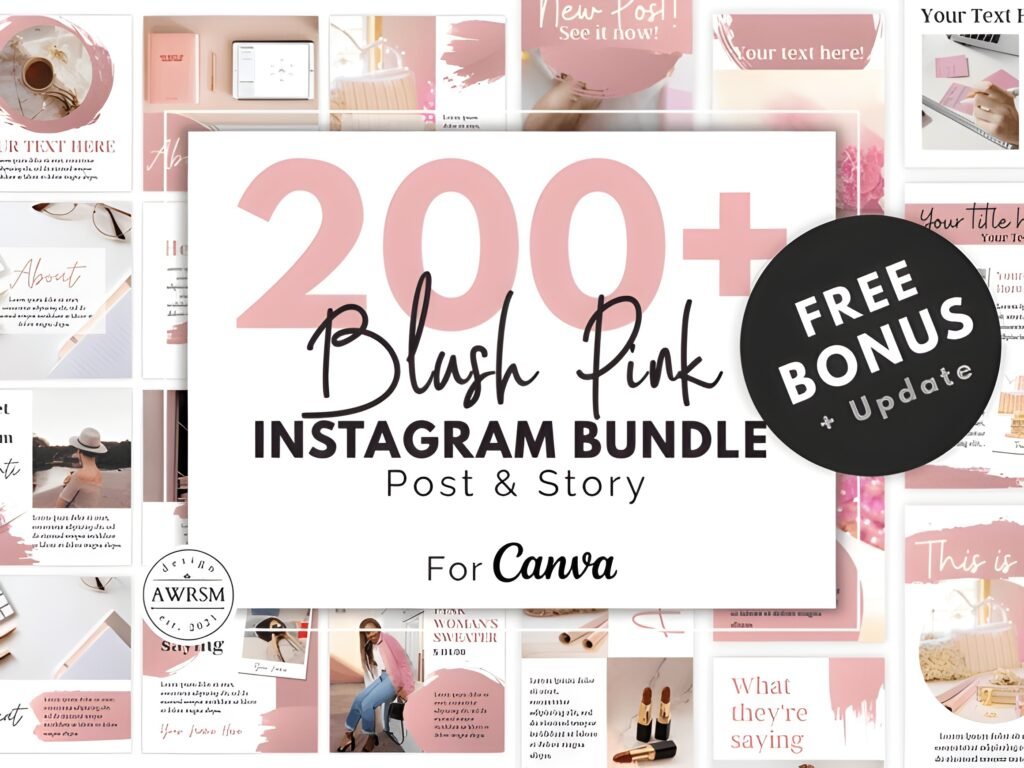
- Vibe: blush pink, soft, friendly, modern
- Level: beginner-friendly (great for batch scheduling)
- Best for: personal brands, wellness, creators with a warm tone
- Quick note: big kit = lots of options for a full month of Stories
My expert opinion: Blush pink is perfect when you want to sell without feeling aggressive. It’s warm, approachable, and pairs nicely with educational content. If your audience responds well to personality and community, this is an easy fit.
Why it works: Soft palettes tend to increase “stay and read” behavior, especially when your text is clear and the sequence flows. That can lead to more replies and story completion.
Quick takeaway: Use blush templates for nurture content: tips, personal notes, and gentle CTAs to your download.
Example A: “3-slide nurture” sequence: Slide 1 quick story, Slide 2 lesson, Slide 3 question sticker (“Want the template? Reply YES”).
Example B: Weekly resource push: Slide 1 pain point, Slide 2 micro-solution, Slide 3 link sticker to your free download page.
Save this if you want a consistent, friendly look that works across many niches. Share it with a creator who wants a softer brand vibe without losing clarity.
Opens on Creative Fabrica • Editable in Canva
7) Instagram Story Canva
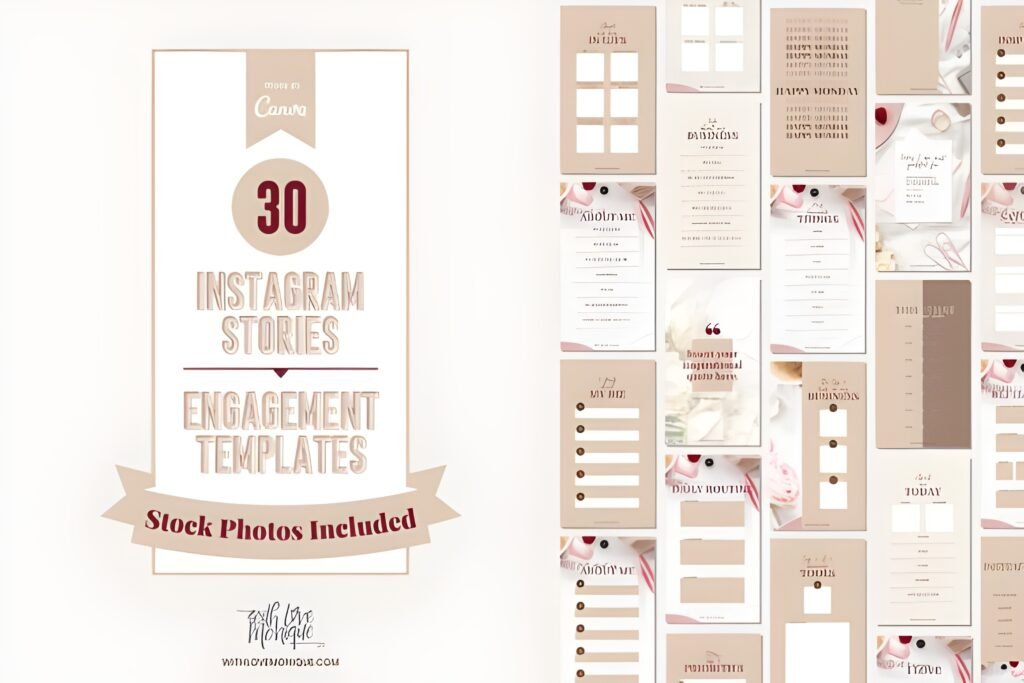
- Vibe: general-purpose Story layouts
- Level: beginner to intermediate
- Best for: creators who want a simple, reusable Story pack
- Quick note: useful as a “utility” set for everyday posts
My expert opinion: I like having one “utility” pack that I can open quickly for everyday Stories—announcements, reminders, quick tips, repost frames, and simple CTAs. This kind of pack supports consistency, which is the real secret behind a stronger Story presence.
Why it works: Everyday templates make it easier to show up on low-energy days. And those days matter, because your audience still expects you to be there.
Quick takeaway: Keep one utility pack, one aesthetic pack, and one promo pack. Rotate them based on your weekly content plan.
Example A: Daily tip: Slide 1 tip headline, Slide 2 tiny example, Slide 3 “Save this” + emoji slider.
Example B: Simple CTA: Slide 1 “New blog post is live,” Slide 2 what they’ll learn, Slide 3 link sticker to your article.
Save this if you want a no-drama solution for consistent Stories. Share it with someone who posts great content but hates designing.
Opens on Creative Fabrica • Editable in Canva
8) Instagram Canva Template
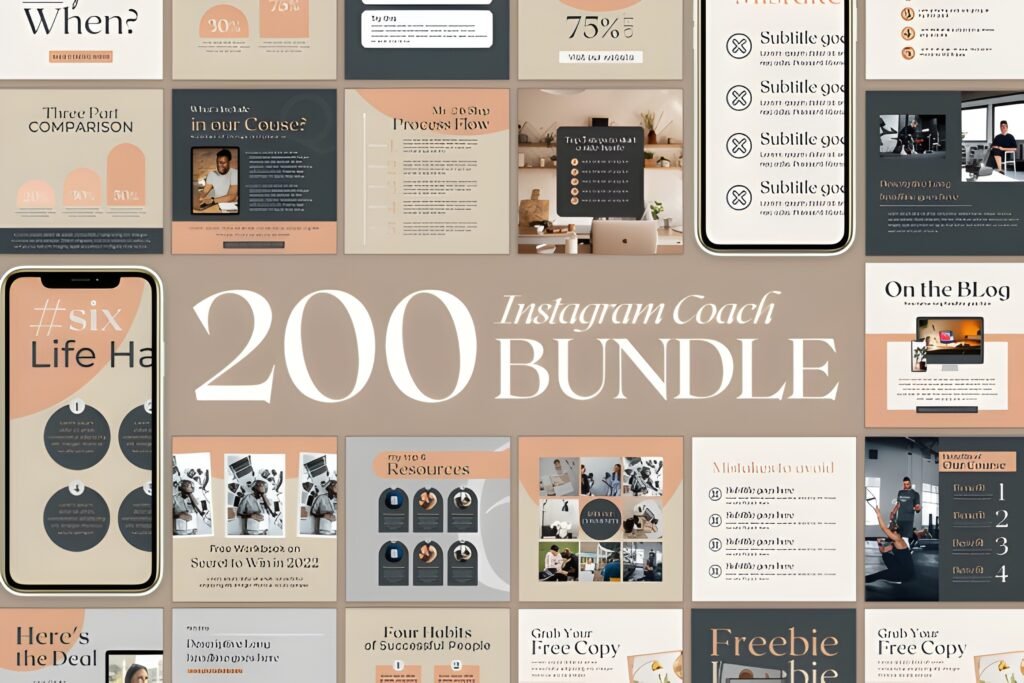
- Vibe: flexible Instagram design set
- Level: beginner-friendly
- Best for: small businesses and personal brands building cohesive visuals
- Quick note: great when you want one consistent look across multiple content types
My expert opinion: When I’m building a brand presence, I often want a design set that feels cohesive across Stories, posts, and promo assets. “General Instagram” template sets can help you lock in your fonts, spacing, and visual style quickly—then you can adapt the same look to Stories as needed.
Why it works: Cohesion increases recognition. Recognition increases trust. Trust increases taps on your link sticker and DMs.
Quick takeaway: Choose one visual system and repeat it. Variety belongs in your message, not in your design decisions.
Example A: Weekly theme: pick one color accent per week, reuse it across 5 Story slides + 1 promo graphic.
Example B: Lead magnet funnel: Story hook → Story value → Story CTA; then mirror the CTA with a matching graphic for your feed.
Save this if you’re tired of your Instagram looking like multiple brands. Share it with a business owner who wants a clean, consistent identity.
Opens on Creative Fabrica • Useful for cohesive branding
9) Instagram Stories for Canva | Rustic
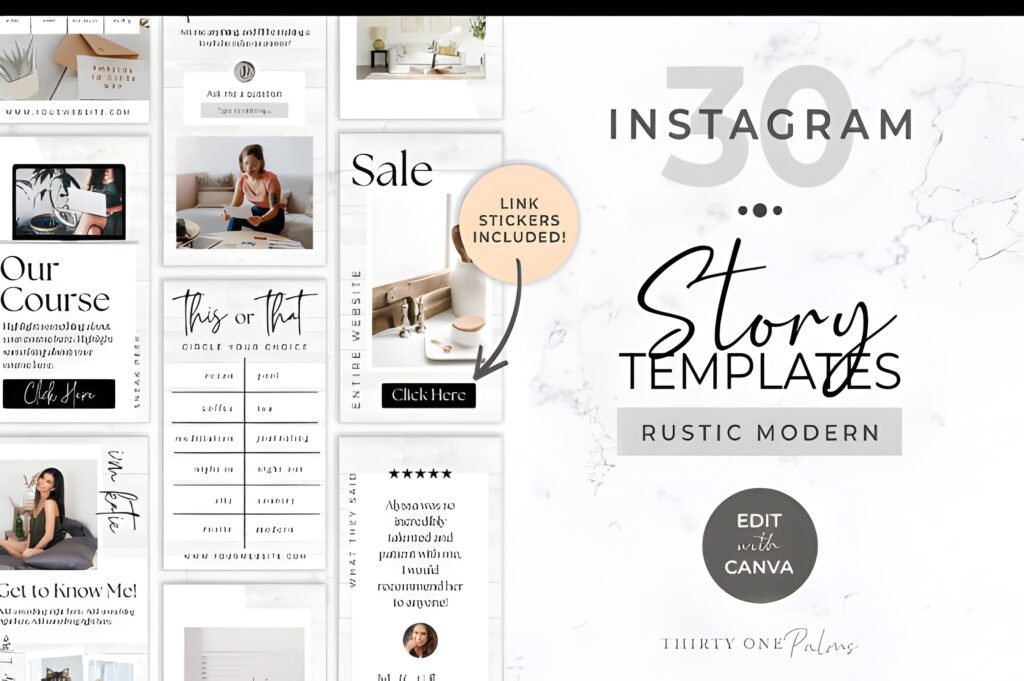
- Vibe: rustic, earthy, organic textures
- Level: beginner to intermediate
- Best for: handmade brands, lifestyle, travel, food, creators with “cozy” content
- Quick note: great for storytelling and behind-the-scenes
My expert opinion: Rustic templates are ideal when you want to feel human and grounded. If your goal is community, not just conversions, this vibe helps followers slow down and actually read what you wrote. It pairs beautifully with longer sequences like “how it’s made,” “a day in the life,” or “my process.”
Why it works: Texture and warmth create emotional context. Emotional context increases replies and DMs, especially when you ask a gentle question at the end.
Quick takeaway: Use rustic slides when you’re building trust: process content, client stories, and personal updates.
Example A: Process series: Slide 1 “Today’s behind the scenes,” Slide 2–3 steps, Slide 4 “Want the checklist? Link sticker.”
Example B: Audience bonding: Slide 1 personal story, Slide 2 lesson learned, Slide 3 “Have you experienced this?” question sticker.
Save this if your niche benefits from warmth and storytelling (handmade, wellness, lifestyle). Share it with a creator who wants their Stories to feel less “salesy.”
Opens on Creative Fabrica • Editable in Canva
10) Instagram Story Canva Templates in White
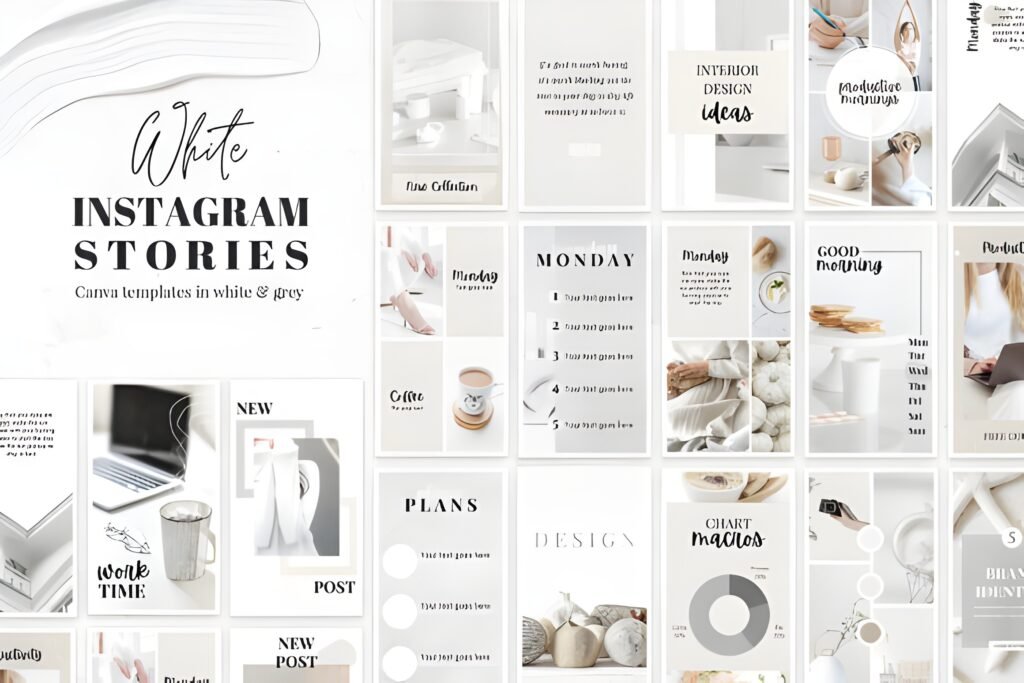
- Vibe: white minimal, clean, airy
- Level: beginner-friendly
- Best for: personal brands, service providers, educators
- Quick note: white space makes your hook and CTA feel sharper
My expert opinion: White templates are my favorite for “teach + convert” content. They look editorial, professional, and uncluttered. If you’re sharing tips, frameworks, or mini lessons, white space helps your audience read faster and stay longer.
Why it works: Minimal designs reduce visual noise. Less noise means your headline and sticker prompts stand out, which can increase taps and replies.
Quick takeaway: Use white slides for educational sequences, then add a single accent color for your CTA.
Example A: Mini lesson: Slide 1 headline, Slide 2–3 framework bullets, Slide 4 “Save this” + quiz sticker.
Example B: Resource push: Slide 1 pain point, Slide 2 quick fix, Slide 3 link sticker (“Download the checklist”).
Save this if you want clean, readable Stories that look professional in any niche. Share it with a friend who posts a lot of text and needs better hierarchy.
Opens on Creative Fabrica • Editable in Canva
11) Mental Health IG Canva Story Templates
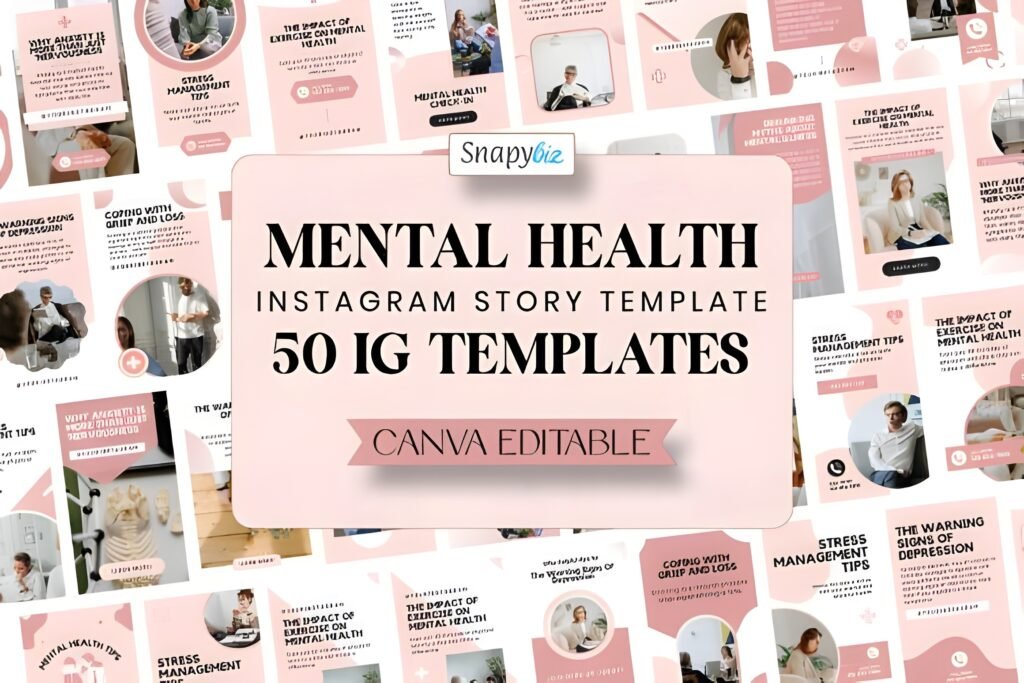
- Vibe: calm, supportive, community-first
- Level: beginner-friendly
- Best for: coaches, therapists, wellness brands, supportive communities
- Quick note: ideal for prompts that invite replies and check-ins
My expert opinion: Niche templates are powerful because they do part of the messaging work for you. When a template is designed for mental health topics, it often includes layouts that suit affirmations, journaling prompts, and gentle CTAs—without feeling like marketing.
Why it works: Prompts drive replies. Replies drive relationship. Relationship drives long-term engagement. If you’re building a community, this kind of set helps you show up with consistent care.
Quick takeaway: Use these templates for “reply-based” engagement: check-ins, prompts, and gentle guidance.
Example A: Daily check-in: Slide 1 “How are you today?” Slide 2 options, Slide 3 question sticker (“Want a tool that helps?”), Slide 4 link sticker to your download.
Example B: Boundaries mini-series: Slide 1 myth, Slide 2 reframe, Slide 3 script to copy, Slide 4 “Save this” + “DM me ‘SCRIPT’.”
Save this if your brand values connection and care, not just clicks. Share it with a creator who wants their Stories to feel supportive and structured.
Opens on Creative Fabrica • Editable in Canva
Didn't find what you were looking for?
Use the search below to explore more options on Creative Fabrica.
Useful for Bloggers: 10 Fast Story Plays That Convert
1) I keep three Story goals on rotation: grow (reach), nurture (trust), and convert (clicks). This stops me from posting random slides.
2) I write the headline first, then pick the template—not the other way around. The design should support the message, not distract from it.
3) I treat each Story sequence like a mini blog post: hook, context, value, CTA. Short, clear, and intentional.
4) I add one interactive element per sequence: a poll, a question sticker, or an emoji slider. One is enough to invite action without overwhelming people.
5) I place CTAs on a dedicated slide with extra white space. That’s where taps happen.
6) I reuse my best-performing formats weekly. Consistency builds recognition, and recognition builds trust.
7) I keep “link sticker” wording specific: “Download the checklist,” “Read the full post,” or “Get the templates.” Vague CTAs reduce clicks.
8) I batch-create 10–15 slides at once, then swap photos and text daily. Templates make batching realistic.
9) I always include one “human” slide (behind-the-scenes, note, or face-to-camera) to keep the brand personal.
10) I save every winning Story as a Highlight and update the cover so new visitors instantly understand what I offer on www.ym-graphix.com.
Extra Picks & How to Mix Styles (Without Looking Messy)
If you want a clean system but still enjoy variety, I use a simple rule: one base style + one accent style + one promo style.
- Base style (daily): Instagram Story Canva Template or Instagram Story Canva
- Accent style (aesthetic weeks): Aesthetic Beige or White templates
- Promo style (launch weeks): Dark kit or Rose Gold bundle
Also, if you’re specifically searching for an instagram story template bundle canva, look at the larger kits (the “200” and “140” sets). Bigger kits give you more layouts so your Stories don’t feel repetitive during a campaign.
And if your priority is strictly cost, start with Canva’s free library first. People often search for an instagram story free canva template when they want something quick—and that’s fine. I recommend switching to a curated set when you want consistency and faster batching.
Conclusion
The best Story templates don’t just look good—they help you post consistently, guide followers through a clear message, and make interaction feel easy. Pick one base pack, commit to a repeating structure, and your engagement will feel more predictable.
If you want the simplest next step: choose one clean everyday set, then add one aesthetic vibe (beige or white) and one promo vibe (dark or rose gold).
FAQ
1) What makes a Canva Instagram Story template “high engagement”?
A high-engagement template makes your message easy to scan, supports a clear hook-to-CTA flow, and leaves space for interactive stickers (polls, questions, sliders) without clutter.
2) How often should I reuse the same Story templates?
I reuse the same formats weekly. Consistency is a feature, not a bug. Rotate content topics, not your entire design system.
3) Can I mix different aesthetics (beige, dark, rustic) without confusing followers?
Yes—if you keep 1–2 brand constants the same (font choice, logo placement, or one accent color). Use different vibes for different purposes (nurture vs promo).
4) Do I need a huge pack, or is a small set enough?
A small set is enough if it includes variety for hooks, tips, proof, and CTAs. Bigger bundles help when you run multi-day campaigns and want more layout options.
5) How do I customize a canva instagram story template quickly?
I duplicate a master file, swap the fonts and colors once, then batch-edit the text for 10–15 slides. After that, I only change photos and headlines day-to-day.
6) Should I prioritize Stories or feed posts for conversions?
I use both. Stories get fast attention and clicks; feed posts build trust and save value. The best system connects them with consistent design.
7) Where should I put the CTA in Stories?
Put your CTA on its own slide with clean spacing and a clear action verb. If you use a link sticker, keep the wording specific (“Download,” “Read,” “Get”).
Open List (All Items)
- Aesthetic Beige Instagram Templates — Open link
- Instagram Story Canva Template — Open link
- 200 Rose Gold Instagram Boost Template — Open link
- 140 Dark Instagram Template Kit Bundle — Open link
- Instagram Post Templates Canva — Open link
- 200 Blush Pink Instagram Template Kit — Open link
- Instagram Story Canva — Open link
- Instagram Canva Template — Open link
- Instagram Stories for Canva | Rustic — Open link
- Instagram Story Canva Templates in White — Open link
- Mental Health IG Canva Story Templates — Open link